
Imagine trying to fly a complex airliner across continents using only paper charts, manual calculations, and scattered analog instruments. Before the digital revolution, this was the cockpit reality.
Today, a single device consolidates navigation, performance, communication, and system management into one unified interface: the Multifunction Control and Display Unit (MCDU).
Serving as the primary gateway between pilots and the aircraft’s Flight Management System (FMS), this unassuming keyboard-and-screen combo has transformed aviation safety and efficiency.
What Exactly is an MCDU
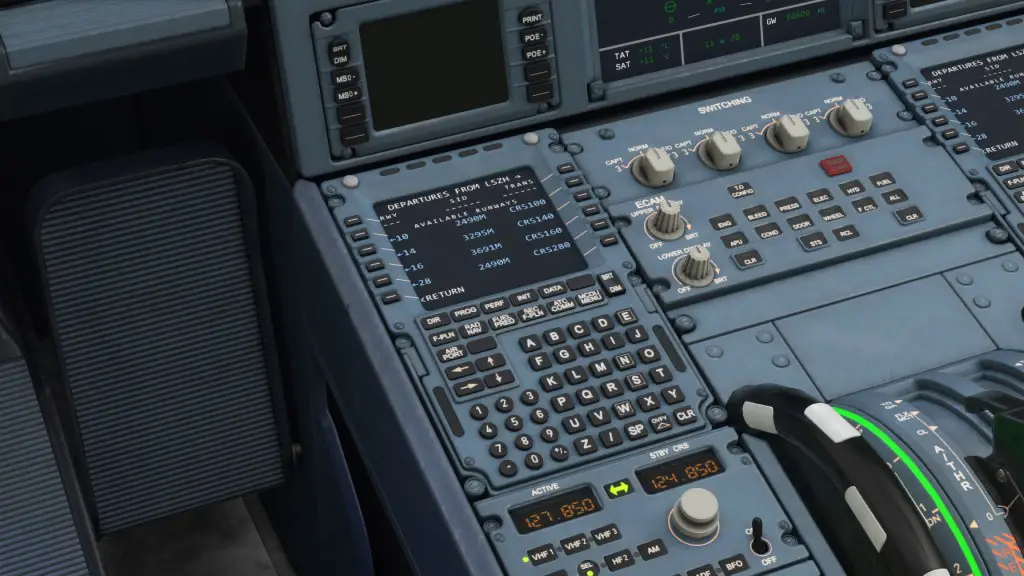
The MCDU (Multifunction Control and Display Unit) is a cockpit device combining a digital display with an alphanumeric keyboard and function keys. It acts as the primary interface for pilots to interact with the Flight Management Guidance Computer (FMGC) in aircraft like the Airbus A320 family, Boeing 737, and business jets like the Gulfstream G650.
Think of it as the aircraft’s mission control center—where flight plans are programmed, systems are monitored, and navigation is precision-managed.
A Brief History: From Analog to Digital “Brains”
- 1980s Origins: Early MCDUs evolved from simpler Control Display Units (CDUs) in aircraft like the Boeing 767 and Airbus A310. These replaced paper-heavy workflows with digital navigation databases.
- 1990s Standardization: By the 1990s, MCDUs became central to “glass cockpit” designs, integrating deeply with autopilots, autothrottles, and Inertial Reference Systems (IRS).
- Modern Advancements: Today’s units feature sunlight-readable LCD/LED screens, increasingly intuitive interfaces, and support for real-time data like weather and traffic.
Evolution of the MCDU in Aviation
| Era | Key Advancements |
|---|---|
| 1980s | Basic route programming, performance calculations using CRT displays |
| 1990s | Integrated FMS, SID/STAR procedures via monochrome LCDs |
| 2000s | Color displays, data linking (ACARS, terrain awareness) |
| 2020s+ | Touchscreens, predictive performance, 3D mapping, cloud updates |
Inside the Unit: Key Components
- Display Screen: Shows flight plans, system status, alerts, and menus. Modern versions prioritize high resolution and sunlight readability.
- Keyboard: Includes alphanumeric keys, dedicated function keys (e.g., FPLN, PERF), and Line Select Keys (LSKs) beside the screen for direct menu interaction.
- Processor & Memory: Handles complex real-time calculations (like optimal climb profiles) and stores extensive navigation databases requiring regular updates.
- Data Interfaces: Connects via standardized aviation data buses to sensors, GPS, radios, and engine monitoring systems.
What Pilots Do With an MCDU
Flight Planning & Navigation
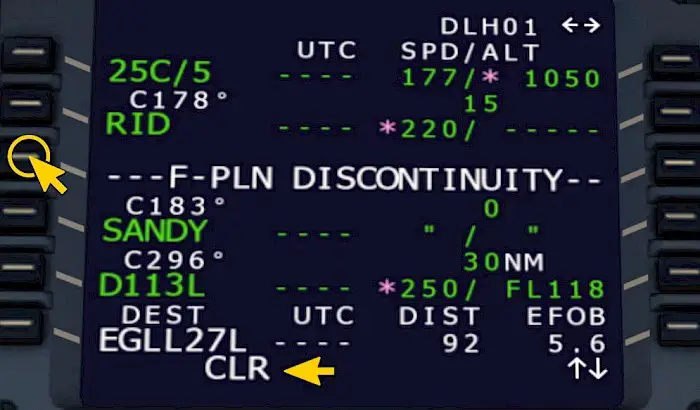
- Pilots input origin, destination, alternate airports, and specific routes (airways). The MCDU, via the FMS, computes the optimal path considering winds, airspace restrictions, and fuel efficiency.
- SIDs/STARs: Standard Instrument Departures (SIDs) and Standard Terminal Arrivals (STARs) are selected for automated guidance during climb-out and descent phases.
Performance Management
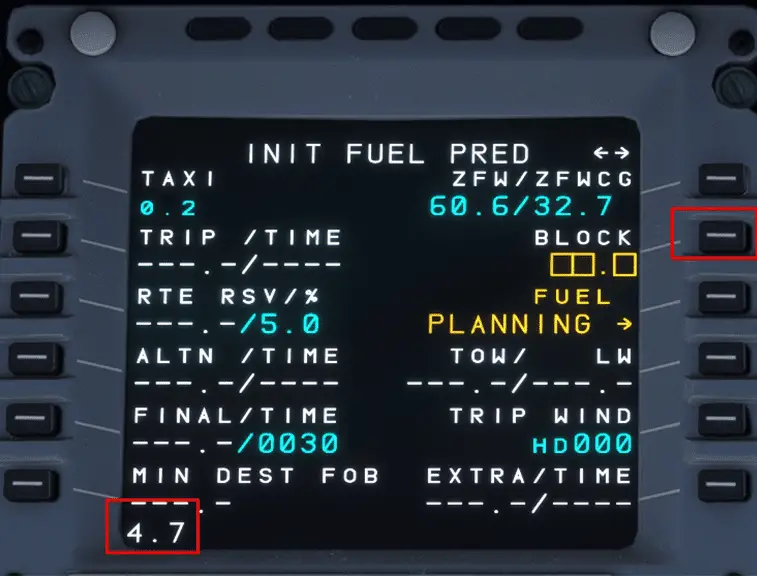
- By entering aircraft weight, cost index (balancing fuel burn vs. time savings), and cruise altitude, the MCDU calculates critical parameters:
- Takeoff/Landing Speeds (V1, VR, V2, Vref)
- Optimal Climb/Descent Profiles (rates, speeds)
- Highly Accurate Fuel Predictions
Systems Control & Monitoring
- Interfaces allow management of autopilot modes and radio tuning frequencies.
- Provides centralized access to engine parameters, fuel system status, and hydraulic data.
- Serves as a primary display for centralized alerts and electronic checklists for system failures.
Communication
- Interfaces with systems like ACARS (Aircraft Communications Addressing and Reporting System) for text-based communication with Air Traffic Control and airline operations, enabling weather requests and position reporting.
you’ll need this book before you start your Airbus A320 Type Rating “click here“
Why the MCDU Revolutionized Flying
- Massive Workload Reduction: Consolidates tasks previously requiring constant reference to charts, manuals, and multiple instruments.
- Significant Fuel Savings: Optimized vertical and lateral flight profiles save substantial fuel over thousands of flights annually.
- Enhanced Safety: Reduces navigation errors through automated position cross-checking and provides conflict alerts. Centralized system monitoring and electronic checklists improve response to failures.
- Improved Situational Awareness: Integration with displays shows the flight plan on moving maps, often overlaid with traffic, terrain, and weather data.
MCDU vs. Traditional Cockpit Workflows
| Aspect | Traditional Cockpits | MCDU-Equipped Cockpits |
|---|---|---|
| Flight Planning | Manual chart plotting, time-consuming | Digital route entry completed in minutes |
| Navigation | Constant tuning of ground-based navaids | Seamless GPS-based position updating |
| Performance Calc | Manual calculations using tables | Real-time FMS optimization |
| Error Handling | Reactive troubleshooting | Predictive system alerts + structured checklists |
Pilots’ Workflow: A Step-by-Step Example
- Pre-Flight (INIT Page): Enter route (e.g.,
LHR/JFK), cost index, cruise altitude, and Zero Fuel Weight. - Flight Plan (F-PLN Page): Build the detailed route: Insert SID (e.g.,
DET2D), specific airways, STAR (e.g.,KORRY4), and approach procedure. - Performance (PERF Page): Input calculated takeoff speeds (V1/VR/V2), flap settings, and thrust reduction altitudes.
- In-Flight: Actively monitor progress, input ATC reroutes (e.g., “direct to” a waypoint), manage descent profiles, and respond to system messages.
Challenges and Training
- System Complexity: Mastering all MCDU functions, especially temporary flight plan edits and troubleshooting, requires significant dedicated training.
- Database Management: Navigation databases are only valid for 28-day cycles. Using outdated data risks serious navigation deviations and safety issues.
- Redundancy & Failure Management: Aircraft typically have two MCDUs (captain and first officer). Failure of one unit requires transferring control to the other, a critical procedural skill.
The Future of MCDU
- Touchscreen Evolution: Newer aircraft like the Boeing 737 MAX and Airbus A350 feature modern MCDUs with touch interfaces, gesture controls, and split-screen capabilities.
- Artificial Intelligence: Emerging systems use AI to predict turbulence, dynamically optimize routes for weather and efficiency in real-time, and suggest fuel-saving strategies.
- Enhanced Connectivity: Wireless database updates and real-time data sharing with ATC and ground operations are becoming standard.
MCDU FAQs: Top Questions Answered
1. What is an MCDU?
The Multifunction Control and Display Unit (MCDU) is the primary interface pilots use to communicate with an aircraft’s Flight Management System (FMS). This keyboard-and-screen device allows crews to program flight plans, manage navigation, monitor aircraft systems, and handle communications. It serves as the cockpit’s central command station in modern airliners like the Airbus A320 and Boeing 737.
2. What’s the difference between MCDU, PFD, and MFD?
- MCDU: Input device for programming routes, performance data, and commands
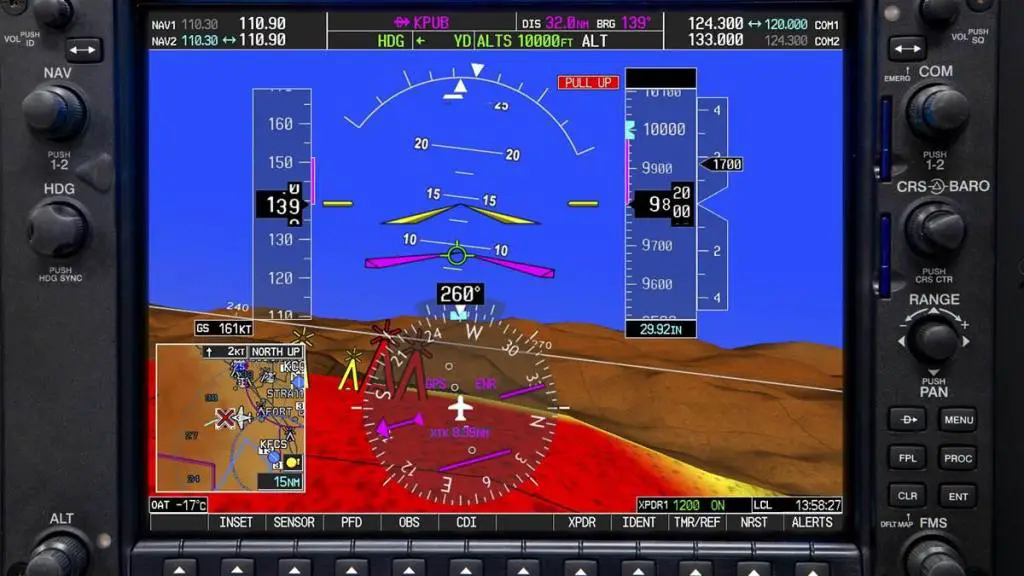
- PFD (Primary Flight Display): Shows real-time flight instruments (attitude, altitude, airspeed)
- MFD (Multi-Function Display): Displays navigation maps, weather radar, and engine data
Simply put: The MCDU controls what appears on the PFD and MFD.
3. What happens if an MCDU fails?
Aircraft feature dual MCDUs (captain and first officer stations). If one fails, pilots immediately transfer control to the other unit. Critical flight plan data remains accessible through the shared Flight Management Computer, ensuring uninterrupted operation.
4. How long does MCDU training take?
Transitioning to MCDU-equipped aircraft requires 2-4 weeks of specialized type-rating training. This includes simulator sessions covering flight plan programming, performance calculations, and emergency procedures. Recurrent training occurs every 6-12 months.
5. Can MCDUs prevent pilot errors?
Yes, through multiple safeguards:
- Auto-rejection of invalid waypoints or runway entries
- Cross-checks for altitude/speed conflicts
- Color-coded alerts (amber for urgent, white for advisory)
- Electronic checklist prompts for system failures
6. Why do MCDUs look outdated compared to tablets?
Aviation prioritizes reliability over modern aesthetics:
- Physical buttons work with gloves and provide tactile feedback
- Sunlight-readable screens function in all lighting conditions
- Units withstand extreme vibration, temperature shifts, and rapid decompression
- Certification requires resistance to electromagnetic interference
7. How often are navigation databases updated?
Databases expire every 28 days and must be updated before expiration. Airlines use certified providers to ensure current waypoints, procedures, and terrain data. Outdated databases risk navigation errors and regulatory violations.
8. Can MCDUs send messages?
Yes, through ACARS (Aircraft Communications Addressing and Reporting System). Pilots can:
- Text Air Traffic Control for clearances
- Request weather updates
- Send automated position reports
- Communicate with airline operations
9. Are MCDUs only used in commercial airliners?
While standard in jets like the A320 and 737, MCDUs are also found in:
- Business jets (Gulfstream G650, Bombardier Global)
- Military transports (C-17 Globemaster)
- Helicopters (AW139)
- Retrofit installations in older aircraft
10. What’s the future of MCDUs?
Next-generation systems feature:
- Touchscreen interfaces with split-screen capability
- AI-driven predictive features (turbulence avoidance, fuel optimization)
- Wireless cloud-based database updates
- 3D synthetic terrain mapping
- Integration with satellite weather networks

 Aviator Tells
Leave a comment